

Tencent officially launched TenPayGo for international visitors to China on September 24, 2026.
We downloaded it on launch day and tried it ourselves: registering an account, activating Apple Pay, scanning a real merchant QR code and going all the way to the final checkout screen.
Our first impression:
TenPayGo is surprisingly easy to set up — especially if you already use Apple Pay.
But we wouldn't make it your only way to pay in China yet.
Here's what we found.
What is TenPayGo?
TenPayGo is a Tencent app built for international visitors to China.
It lets travelers use supported international bank cards, Apple Pay and participating overseas e-wallets to pay through the Weixin Pay merchant network.
The idea is simple:
Bring a payment method you already use. Use TenPayGo to pay in China.
Tencent is also adding travel-related services to the app, but payment is currently the main reason we would tell a traveler to look at it.
Setup was easier than we expected
We tested TenPayGo on an iPhone using version 1.1.2 from the US App Store on September 24, 2026.
Registration starts with an email address.
We entered an email, completed the sign-in process and created a gesture password.
There is also a Skip button. You can use it to enter and explore the app, but when we tried to set up Apple Pay after skipping registration, TenPayGo sent us back to sign in.
So Skip doesn't mean guest payment.
You can explore TenPayGo without an account. You still need to sign in to set up payment.
Apple Pay is the interesting part
This was the part that surprised us most.
In our test, TenPayGo showed an Activate Apple Pay screen.
We turned it on.
That was essentially the setup.
Apple Pay then appeared as the payment method inside TenPayGo.
TenPayGo's own in-app guide says Apple Pay availability can depend on your device, card, bank and system checks, so we wouldn't assume every traveler will have exactly the same experience.
But on the iPhone we tested, activating Apple Pay was remarkably easy.
How do you pay?
TenPayGo supports the two QR payment methods you're likely to encounter in China.
You can scan a merchant's QR code, check the amount and confirm the payment.
Or you can show your payment code and let the cashier scan you.
TenPayGo's in-app guide also says supported merchant websites can open a TenPayGo checkout page.
Tencent says TenPayGo connects international travelers to the Weixin Pay merchant network. But TenPayGo's own guide also says availability can vary by merchant, payment method, card, payment limits and security checks.
So we wouldn't translate a large merchant network into:
“It will work everywhere.”
Those aren't the same claim.
We tested a real merchant checkout
We scanned a real merchant QR code and tried two amounts.
At ¥1, TenPayGo showed:
Order Amount: ¥1.00
International Card Fee: ¥0.00 (¥0.03)
At ¥100, it showed:
Order Amount: ¥100.00
International Card Fee: ¥0.00 (¥3.00)
In both tests, the amount in brackets was exactly 3% of the payment, but the fee actually payable was ¥0.00.
TenPayGo's own guide says international-card or Apple Pay payments may include a service fee, and any fee should be shown before you confirm the payment. It also says payment limits may apply per transaction, per day or per year.
So we wouldn't conclude:
“TenPayGo always charges 3%.”
And we wouldn't conclude:
“TenPayGo is fee-free.”
What we can say is much more specific:
In the checkout we tested, TenPayGo displayed a 3% international card fee, but waived it for both a ¥1 and a ¥100 payment.
We reached the final Pay with Apple Pay button, but couldn't complete the transaction because we didn't have an eligible overseas payment method available for this test.
That's where our test stops.
We tested the real merchant checkout.
We have not yet completed a TenPayGo transaction funded by an overseas payment method.
Screenshots from our test
We tested TenPayGo on September 24, 2026. These screenshots show email signup, Apple Pay setup, a real merchant checkout and the driver translation tool.
-
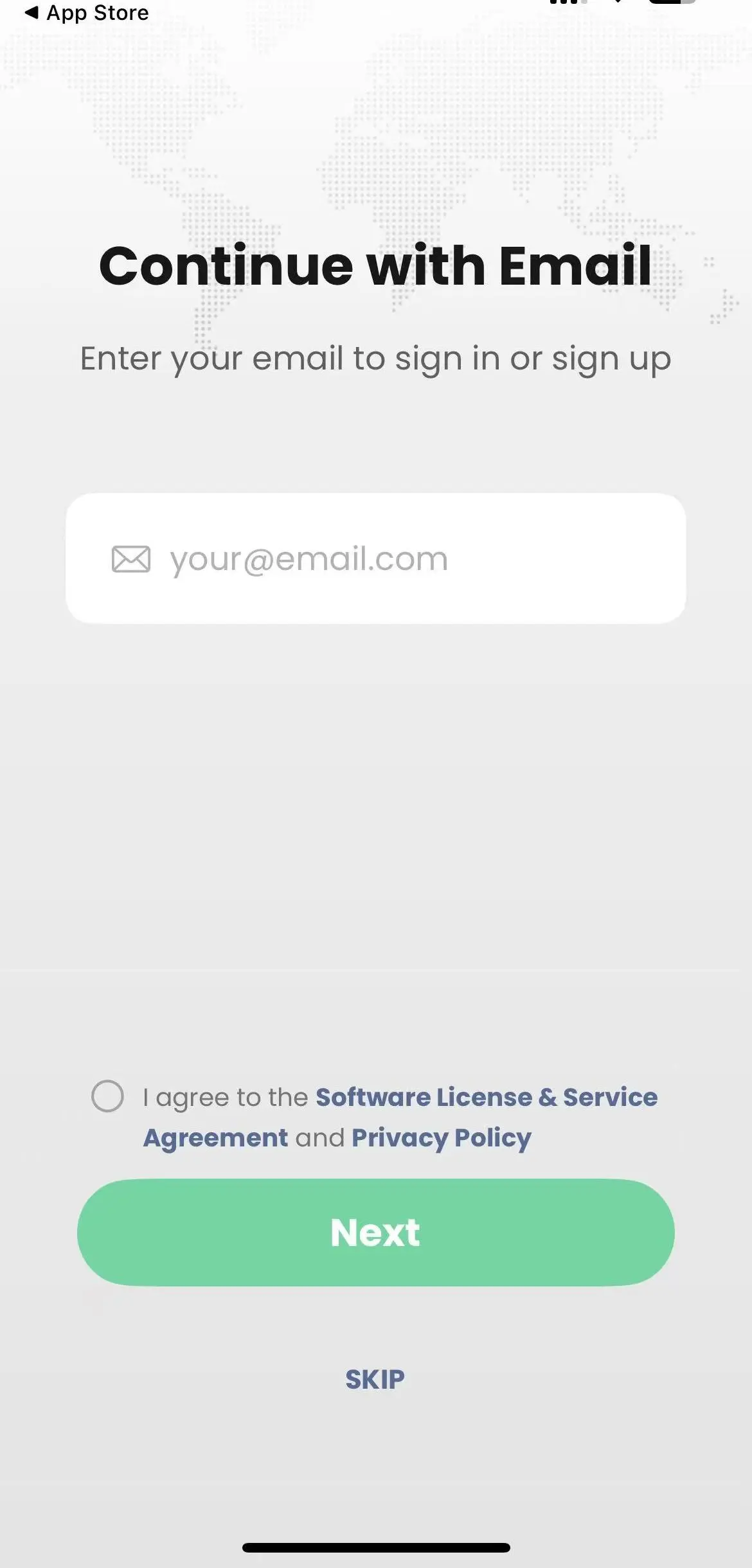
Email signup
-
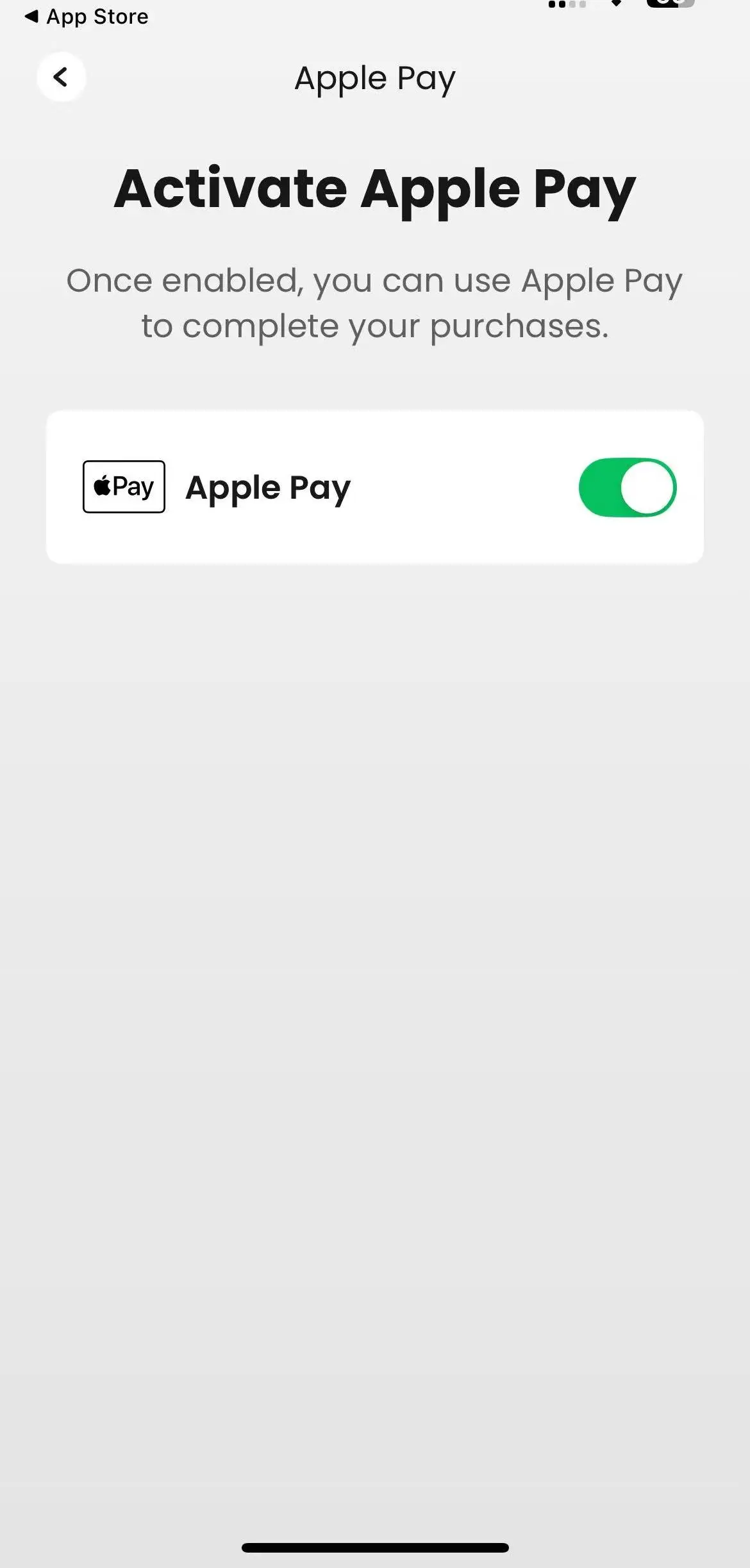
Apple Pay
-
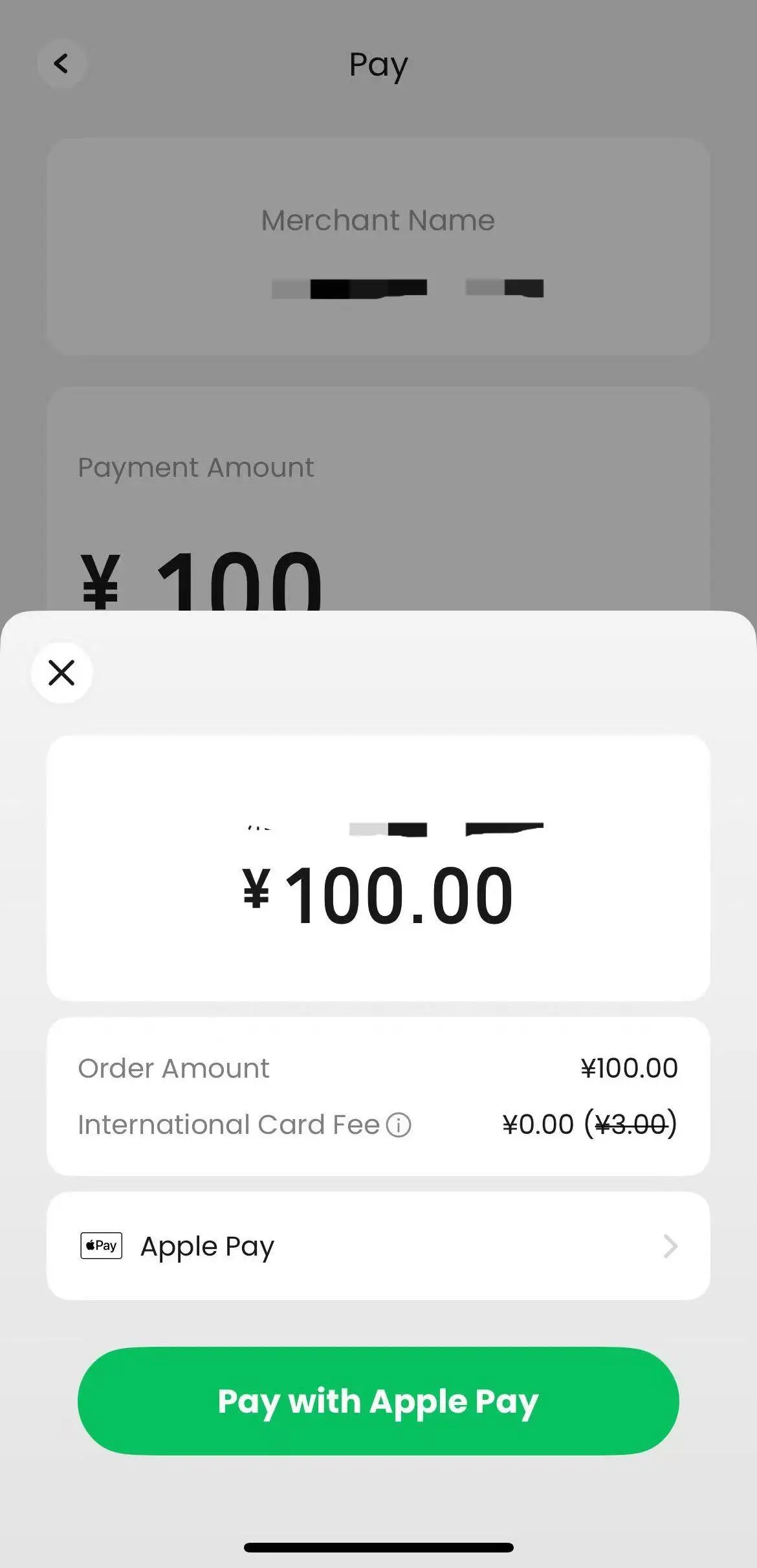
¥100 checkout
-
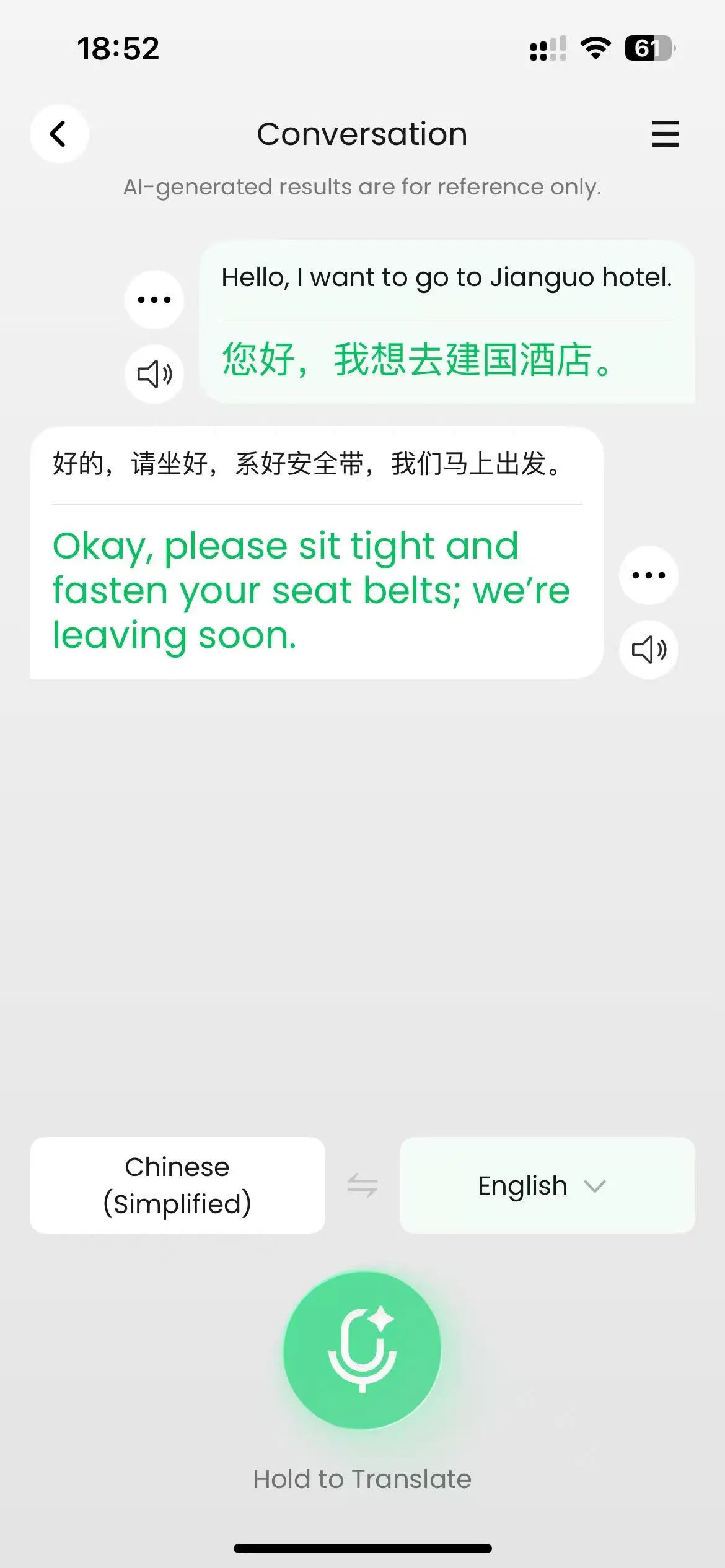
Driver translation
Want to test TenPayGo before your trip?
If you want to check whether TenPayGo actually works with your international card or Apple Pay, you can test it with us.
Email [email protected] and we'll provide a ChinaGo test payment for ¥0.10 — the minimum payment amount available in our test setup.
After the payment goes through, we'll confirm it with you by email.
This is simply a payment test. You don't need to buy anything from ChinaGo.
It also gives us more real-world evidence about how TenPayGo works with overseas payment methods, so we can keep this guide based on actual use rather than assumptions.
What else can TenPayGo do?
TenPayGo describes itself as a way to “Pay and explore in China.”
In the Go section of the app we tested, we found Taxi & Ride and Tax Refund.
But Taxi & Ride did not let us book a ride.
The function available to us was Translate with Driver.
It opens a Chinese-English conversation translator designed to help you communicate with a driver.
The Tax Refund section was marked Available in Shenzhen only.
Tencent is building broader travel functions around TenPayGo, and some launch materials show more features than we found in the app ourselves.
That's why, for now, we would separate:
what Tencent is building from what we can actually use today.
Do you need TenPayGo if you already have Alipay or WeChat Pay?
Not necessarily.
If you've already set up Alipay or WeChat Pay with an international card and it works, we wouldn't replace a working payment setup just because a new app has appeared.
Working is valuable.
But if you're preparing for your first trip to China and haven't set anything up yet, TenPayGo is worth considering — particularly if you're an iPhone user who already uses Apple Pay.
Its advantage isn't that it suddenly makes payment possible for international travelers. Other solutions already exist.
Its advantage may simply be:
getting ready is easier.
So, should you use TenPayGo?
Based on what we tested, yes — we think TenPayGo is worth setting up before a trip to China, especially if you already use Apple Pay.
Registration was simple. Apple Pay activation was extremely easy in our test. And we successfully reached a real merchant checkout.
But we wouldn't rely on it alone yet.
TenPayGo is new. Payment availability can vary. Some travel functions are still developing. And we haven't yet completed our own transaction using an overseas payment method.
So our recommendation is simple:
Set up TenPayGo before your trip. If it works with your payment method, keep it. But bring another way to pay too.
You don't need every payment app.
You need one payment setup you understand — and a backup if it doesn't work.
Sources
- Tencent official
- TenPayGo US App Store
- South China Morning Post launch coverage
- TenPayGo in-app Guide, observed by ChinaGo on September 24, 2026.
- ChinaGo first-hand testing: TenPayGo version 1.1.2, US App Store, iPhone, September 24, 2026.